


Black Friday lands on November 27 this year, with Small Business Saturday on the 28th and Cyber Monday on the 30th. For resellers who list on more than one marketplace, that stretch brings the most buyers of the year and the most ways for things to go wrong.
A sale you planned well can still fall apart over the weekend if your listings are out of sync. A pair sells on Mercari while it is still live on eBay. A price drop goes through on Poshmark but never makes it to Depop. A box you swore was on the shelf turns out to have shipped in October. None of this is a strategy problem. It is a prep problem, and you can fix most of it in one focused evening.
This checklist is that evening. It is split into five blocks you can work through in order, plus a short routine for the weekend itself. If you want the bigger picture on which items to discount and by how much, start with our guide to running a Black Friday sale that actually makes money. This post is the operational side: getting every marketplace ready before the traffic hits.

Why Black Friday Is Hard on Crosslisters
Selling on several marketplaces is one of the best ways to reach more buyers. The tradeoff is that every listing now exists in several places, and each copy can drift out of date on its own. On a normal Tuesday, a mismatch might cost you one awkward cancellation. During Black Friday week, three things happen at once:
- Sales come faster. More buyers are shopping, and they are hunting for deals, so the window between a sale on one app and a duplicate sale on another gets shorter.
- Prices change more often. You and the platforms are running promotions, so there are more edits to make and more chances to miss one.
- Mistakes cost more. A cancelled order or a late shipment during the busiest week can hurt your seller metrics right when you most need buyers to trust you.
The fix is not to list less. It is to make sure every listing matches what is really on your shelf before Thursday night.
Block 1: Audit What You Actually Have
Everything else on this list depends on an accurate count, so start here. Pull your inventory list and walk the shelves.
- Match every physical item to a listing. Anything on the shelf with no listing is money sitting still. Anything listed that you cannot find gets ended now, not after someone buys it.
- Check quantities. If you have two of the same size, make sure the quantity is right everywhere. If you have one, make sure no marketplace thinks you have more.
- Clear out holds and pending deals. Items promised to a local buyer, set aside for a trade, or in the middle of a consignment should not be live anywhere.
- Label anything unlabeled. If you cannot find an item in under a minute, you will not ship it on time during a rush. A simple SKU on the box and the listing fixes that. Our guide to SKU names, labels and barcodes walks through a system that holds up past a few hundred items.
By the end of this block you should have one clean list: every item you own, where it is listed, and its quantity.
Block 2: Clean Up Listings Before Traffic Hits
Black Friday buyers skim. They are comparing a lot of listings quickly, so small listing problems cost you more than usual. You do not need to rewrite everything. Focus on the listings most likely to sell: your best sellers, your newest stock, and anything you plan to promote.
- Titles: brand, model, colorway or style name, size and condition, in the words buyers actually search. Cut filler words.
- Photos: a clear first photo on a clean background, plus close-ups of tags, soles and any flaws. Make sure the first photo is the same everywhere so repeat browsers recognize the item.
- Item details: fill in size, condition and category fields on every marketplace. Many apps use those fields for search filters, so an empty field can hide your listing from the buyers filtering for it.
- Condition notes: be specific about wear. Clear notes now mean fewer "not as described" returns in December.
Block 3: Set Prices and Offers on Purpose
Decide your prices before the weekend starts, not while you are reacting to what everyone else is doing. For each item you plan to discount, write down two numbers: the sale price and the lowest offer you will accept.
Fees are different on every marketplace, so the same sale price can leave you with a different payout depending on where it sells. Run your floor price through the TrackNList profit calculator for each marketplace you list on. That way a deal that looks fine on one app does not quietly lose money on another.
- Keep prices consistent across channels. Buyers do compare. A pair listed much lower on one app makes the others look overpriced. Small differences that account for fees are fine.
- Use the free levers first. Most marketplaces let you notify people who already showed interest, through price drops or offers to watchers and likers. Those buyers are the most likely to convert. Our post on sending offers to watchers and likers covers how to do it well.
- Write the plan down. A simple sheet with item, sale price, floor price and end date keeps every edit consistent when you make the same change on five apps.
Block 4: Lock Down Your Inventory Sync
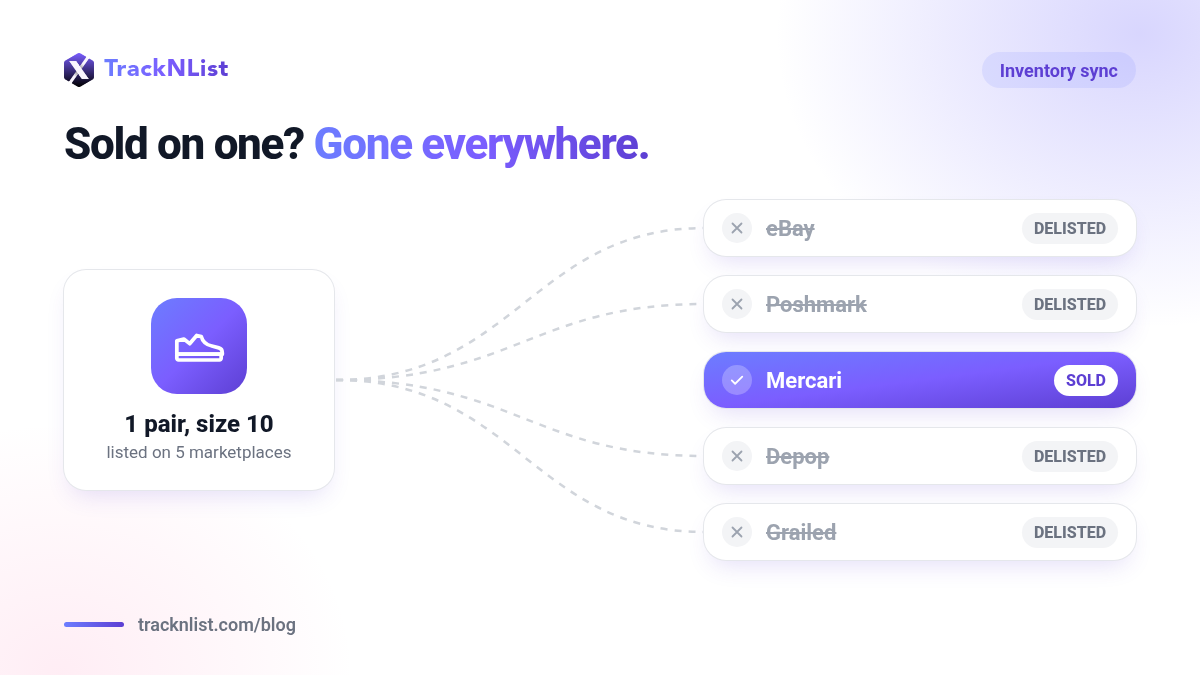
This is the block that matters most for crosslisters. If an item sells on one marketplace, every other copy of that listing has to come down right away. During a busy weekend, "I'll delist it when I see the notification" is not fast enough.
- Check that every listing maps to one item. Duplicates of the same item on the same marketplace are the most common reason for an oversell.
- Turn on automatic delisting if your tools support it. If you delist by hand, set a rule for yourself: check every sale notification within minutes, not hours, all weekend.
- Test it before Thursday. Mark a cheap item as sold, or sell it to a friend, and confirm it disappears from every other marketplace.
- Have a plan for the rare oversell. Message the buyer quickly and honestly, refund right away, and do not let it sit. Our breakdown of what happens when you oversell explains how it can affect your account and how to keep it from happening.
Block 5: Get Ship-Ready
Sales only count once they are delivered. A good weekend can turn into a stressful week if you are short on boxes or behind on labels.
- Stock supplies for your busiest-ever week: boxes in the sizes you use most, tape, labels, filler and poly mailers.
- Confirm your handling time on every marketplace. If you cannot ship same day or next day during the rush, set a handling time you can actually meet.
- Look up holiday shipping deadlines now. Carriers publish their holiday dates every year. Note the last recommended ship date for each service you use, and put it on your calendar.
- Set up a packing station. Scale, printer and supplies in one spot, with your labeled inventory close by. Every trip across the room adds up when you are packing dozens of orders.
During the Weekend: A 15-Minute Check-In
Once the prep is done, the weekend comes down to a few minutes of routine checks. Two or three times a day, from Thursday night through Cyber Monday, run through this:
- Open every sales notification and confirm each sold item came down on every other marketplace.
- Print labels and pack anything that sold since your last check.
- Answer messages and offers. Accept or counter using your written floor prices, not a number you came up with on the spot.
- Look for any listing that is still showing an old price and fix it.
- Write down anything that went wrong so you can fix the process for next year.
The Black Friday Crosslisting Checklist
Here is the whole thing on one page. Save it, screenshot it, or print it and tape it next to your packing station.

- Every physical item matched to a listing, and quantities correct everywhere
- Holds, trades and missing items delisted
- Every item labeled with a SKU you can find in under a minute
- Titles, first photos and item details cleaned up on your top sellers
- Sale price and floor price written down for every promoted item
- Floor prices checked against fees on each marketplace
- Each listing mapped to one item, with automatic delisting on and tested
- Shipping supplies stocked, handling times set and holiday deadlines on the calendar
Make Next Black Friday Easier
Most of this checklist is busywork caused by keeping the same listing up to date in several places by hand. TrackNList lets you list once and crosslist to 10+ marketplaces, keeps your inventory in one place, and syncs it in real time. When an item sells on one platform, it comes down everywhere else. That way Black Friday is about making sales, not catching mistakes.
Start free and crosslist your Black Friday inventory to 10+ marketplaces from one place.


